
How to Use Microsoft Copilot
A week and a half ago, I attended the Microsoft AI Tour in Chicago, where I learned how Fortune 500 companies are leveraging the latest Microsoft AI tools. I also spoke with Microsoft subject matter experts about how nonprofits can benefit from these same technologies. One expert took on the challenge of helping me answer this question, and together we found practical solutions. As a follow-up to our previous discussion on the history of AI, I am sharing concrete examples of how you can use AI in your work.
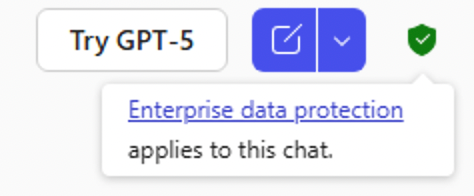
For some of these examples, you will need to use Microsoft Edge, which allows access to the free version of Microsoft Copilot. If you have a Microsoft 365 account—which includes most ministry email accounts managed by CIM—you already have access to Microsoft Copilot. In my webinars, I typically discuss how to evaluate whether an AI system is safe to use, especially regarding data security. For now, please note: when you are signed in with your Microsoft 365 account, Microsoft applies the same enterprise-level data protection to your Copilot conversations as it does to your files and emails. This means your data remains secure.
Here are 5 ways you can use Microsoft Copilot Chat:
- Summarize a long article, document, or PDF.
- Open a long web article in Microsoft Edge.
- Click on the Copilot icon in the upper right-hand corner.

- Enter a prompt in Microsoft Copilot in Edge like “Summarize this in five bullet points.”
- Draft emails and donor-ready content.
- Go to https://outlook.office.com/.
- Open the Copilot side-panel.
- Enter a prompt in Microsoft Copilot in Edge like “Summarize this in five bullet points.”
- Generate images to elevate your content,
- Go to: https://m365.cloud.microsoft/
- Create an image to tell your story with a prompt like “Create a 2D illustration of a pair of hands holding the world.”
- Learn new things quickly.
- Try this prompt: “Explain how a large language model works in simple terms” or select the suggested prompts.
- Get answers for specific and complex questions.
- Ask for answers in a format that you like. “Give me a table that summarizes average email metrics for the nonprofit industry.”
Hopefully, this will help you get started in using Microsoft Copilot Chat.
Jonathan Meester – Computers in Ministry